Choosing Your Antigravity Surface: Desktop, CLI, IDE, or SDK
The article lays out a clear tension: Antigravity has built a multi-surface agent platform, but choosing the right interface depends heavily on how you actually work. A single desktop app or CLI won’t serve everyone, especially when the audience ranges from developers editing code directly to operators managing headless pipelines. The real challenge is matching the interaction model to the task without fragmenting the underlying agent harness.
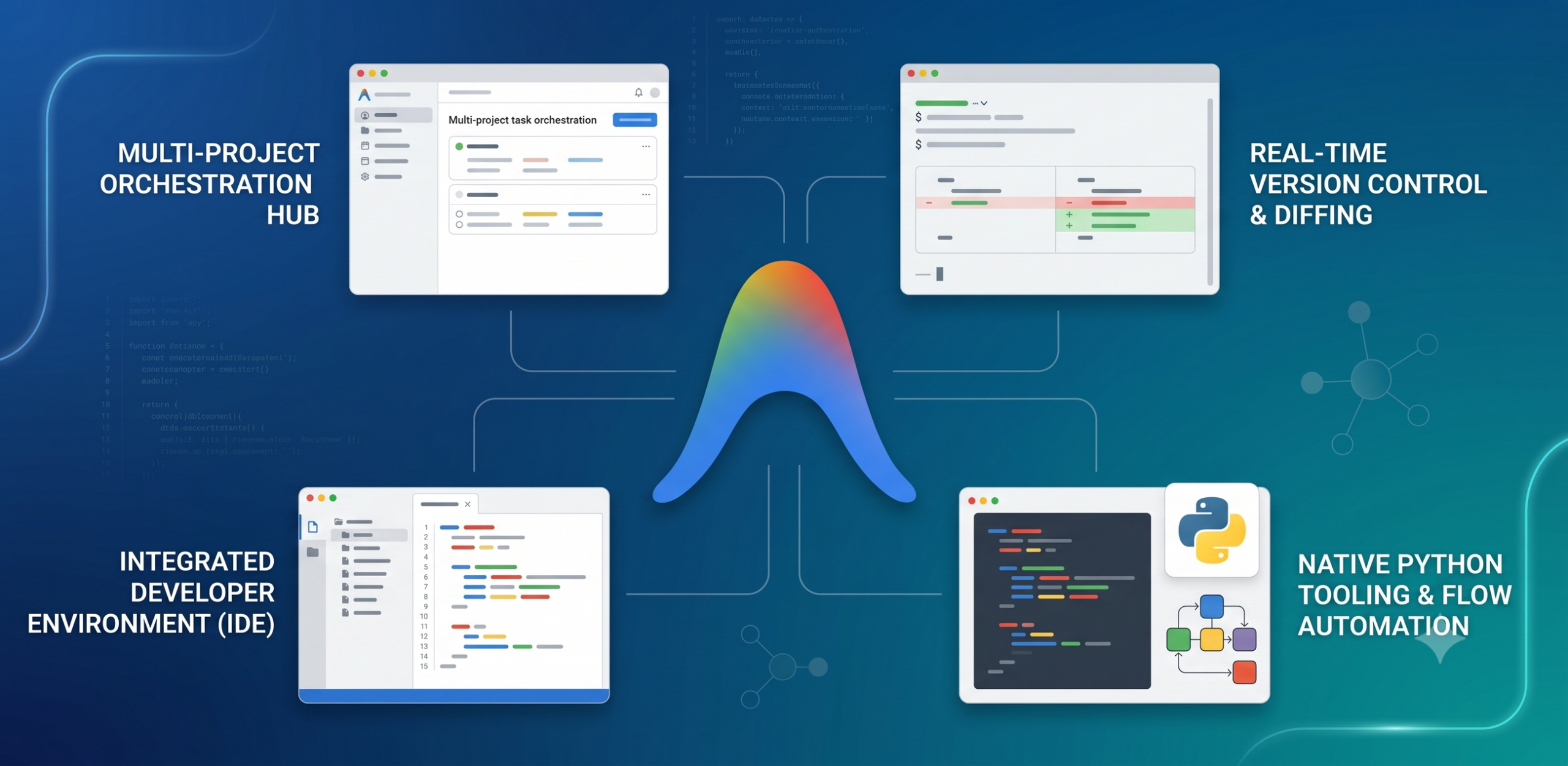
The concrete move is a four-surface split powered by a shared core. Antigravity 2.0 is the default desktop app for running multiple autonomous agents across separate projects, scheduling tasks like code quality checks. The Antigravity CLI is a Go-built terminal UI for keyboard-driven, headless execution over SSH or in remote containers. The Antigravity IDE puts agents inside the editor, showing line-by-line code changes with one-click fixes on runtime errors. Finally, the Antigravity SDK is a Python library for building custom agents on the same harness, deployable to Google Cloud without code changes. The surfaces differ radically in UX but share plugins, skills, and core logic.
The serious takeaway is that platform builders should invest in multiple interaction modes rather than forcing one workflow. The article makes explicit that each surface targets a distinct developer behavior—parallel task orchestration, terminal-based automation, fine-grained code review, or custom agent construction. For builders, the operational insight is that a shared harness enables this flexibility without duplicating agent capabilities. You can pick the surface that fits your project without worrying about compatibility or feature gaps.